

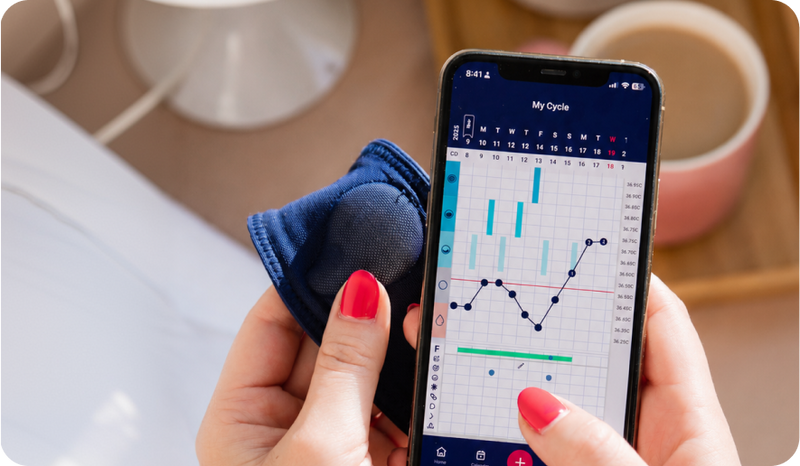



What’s New Tempdrop App
We are thrilled to announce our latest Tempdrop app update! We are constantly listening to your feedback, and this September release is packed with highly requested features, smoother navigation, and tools to make your charting experience more customizable than ever.
Make sure your app is updated to the latest version to enjoy all these new features! Here is everything new in the Tempdrop app:
1. Auto-Sync is Finally Here!
You asked, and we delivered. You can now enable Auto-Sync for your Tempdrop sensor!
How to use it:
- This feature is off by default. To start automatically syncing your temperatures, simply head over to your App Settings and toggle Auto-Sync to "On".
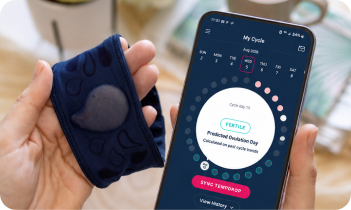
- When you remove your sensor after sleep, simply press and hold the sensor button, open the Tempdrop app, and it will automatically sync your temperature.
WATCH: How to turn on Auto-Sync

2. Smarter Bottom Navigation & Easier Chart Access
We’ve revamped the bottom navigation bar to prioritize what you use most: your chart! We’ve removed the "+" symptom button from the bottom menu to make room for direct links to your Chart and Cycles.
-
Don't worry! You can easily log your daily symptoms using the date picker and the symptoms carousel right at the top of the home page.
-
We've also made the "Today" button much more obvious, so you can always jump right back to the current day with a single tap.
WATCH: App Home Screen Walkthrough

3. Chart Tooltips
In July, we added a chart tooltip to the temperatures. This release includes a chart tooltip on the cervical mucus categories. Tap on any of the CM categories on the left of the chart to see what they mean. Tap on a CM entry in the chart to see what the entry was.

4. Home screen customization
Your app, your rules! We’ve had a lot of feedback about the home screen, and we want to always be listening and ensure the app works for you! With this in mind, we’ve enabled you to customize how your home screen looks!
1. Hide Content
Prefer a minimal look? You can now hide articles and curated content by scrolling to the bottom of the home page and selecting "Hide Personalized Content."
2. Temperature History
You can now choose to expand or collapse your temperature history on the home screen.
The best part is the app will save your preferences, so your home screen will look exactly how you left it every time you open the app.
5. Charting Accuracy: Spotting vs. Cycle Day 1
To help align with standard fertility awareness rules, it is no longer possible to mark "Spotting" as Cycle Day 1 (CD1). True CD1 begins on the first day of your full period flow.
This change will help keep your cycle predictions and chart as accurate as possible! Learn more about when to start a new cycle here.
READ: When should I start a new cycle?
6. App Improvements & Accessibility
New Languages:
We are dedicated to supporting our international charting community in their native languages. The app is now fully localized in:
- Dutch,
- German,
- Italian,
- and Hebrew.
Inbox Updates:
Notice something different? We’ve changed the Inbox icon from a bell to an envelope. You can also now delete read messages by long-pressing on them!
Sleep Data Integration:
We are continually working to improve our algorithms. The Tempdrop app can now read your sleep data from Apple Health and Google Health. By integrating this data, we are taking steps to further refine our sleep algorithm and improve it for you.
New User Quick Start:
For our new users, the Quick Start guide will now be prominently displayed for your first 5 syncs to help you get familiar with Tempdrop.
Easier iOS Troubleshooting:
If you ever need to send us app logs, iOS users are no longer required to use the native Apple Mail app. You can now send logs directly from the app if you don’t have the mail app installed.
See an overview of all the app changes and functionality:
Ready to update?
Update your Tempdrop app to take advantage of these new features, along with some minor bug fixes.
We need your help!
If you love using Tempdrop and find these new updates helpful, please take a moment to leave us a review in the App Store. Your support means the world to our team and helps other women find us!
As always, we design Tempdrop for you. If you have ideas, feedback, or thoughts on this new update, we want to hear them! Go to the App Menu > Feedback to submit your ideas or give your feedback.